For marketing teams
Every request in one queue. One brand on every piece.
The in-house marketing team stops chasing one-off requests in email and chat. Agents build their own listing kits from approved templates, custom work arrives as a complete brief, and the designs you want to see wait for your approval before they leave.
Requests, approvals, custom templates, Campaign Center and reporting are on Pro and Enterprise. Brand management and the templates library are on every plan. 14 days free on Core, no credit card required.
The marketing team's side of the platform.
Eight pieces, and which plan each one starts on.
-
Pro and Enterprise
Marketing requests
One queue for custom work, with briefs, assignment, priorities, deadlines and internal notes agents never see.
-
Pro and Enterprise
Approvals
Rules by template category and role decide which designs and posts wait for your review before export.
-
Pro and Enterprise
Turnaround targets
Targets per request type, workload by assignee, and a view of what is due soon or slipping.
-
Pro and Enterprise
Custom templates
Your own brokerage templates beside the system library, with approval and status controls.
-
Pro and Enterprise
Campaign Center
Build a holiday post, a market update or a recruiting push once and send every agent their own branded version.
-
Every plan
Brand management
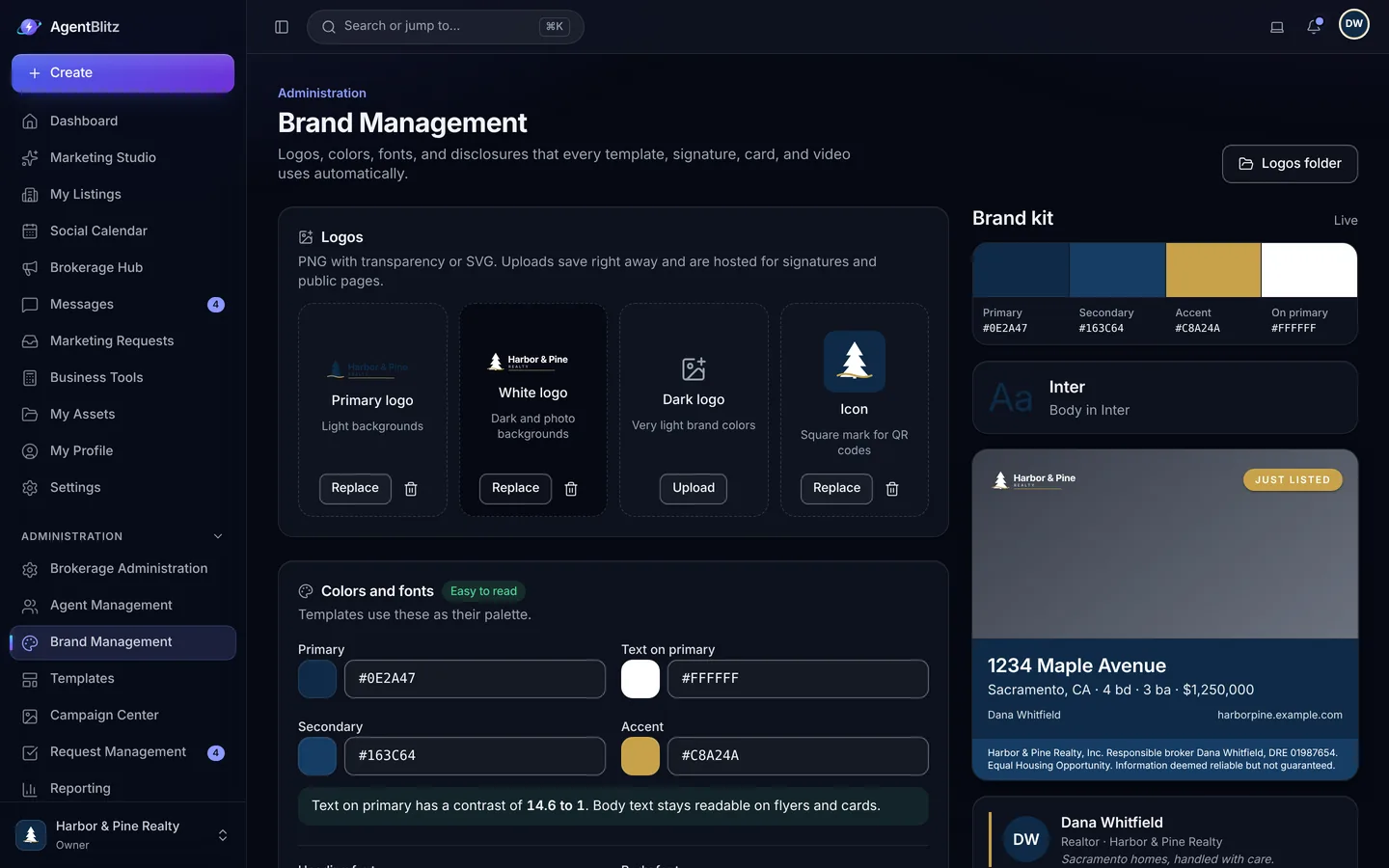
Logos, colors, fonts and disclosures, locked where it matters, with a live preview on real layouts.
-
Pro and Enterprise
Reporting
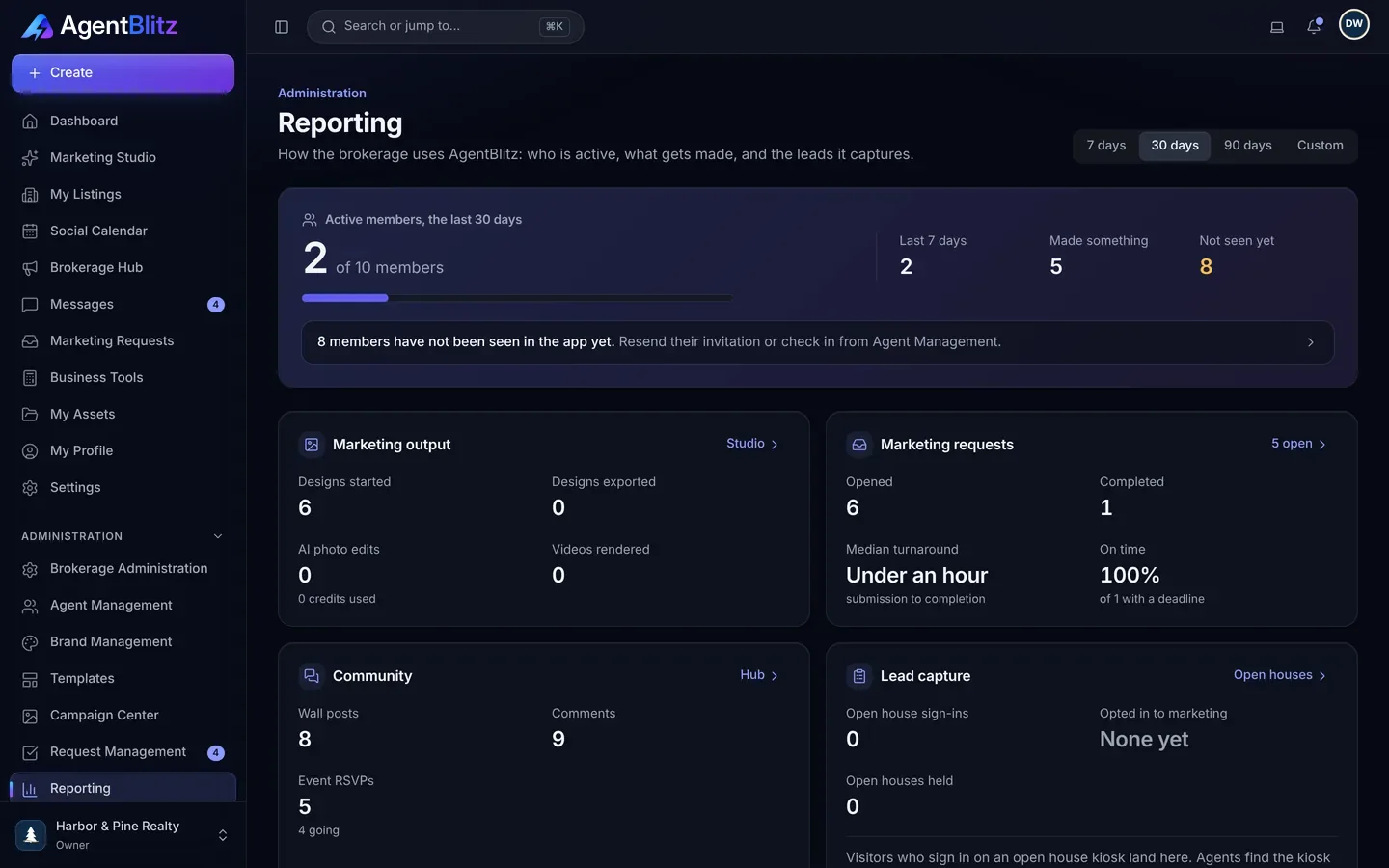
Active members, designs, exports, AI use, request turnaround, community and leads, by date range, with a CSV export.
-
Every plan
The templates library
413 system templates, every listing stage in 20 or more looks, so agents start from approved designs instead of a blank page.
One queue, with briefs that arrive complete.
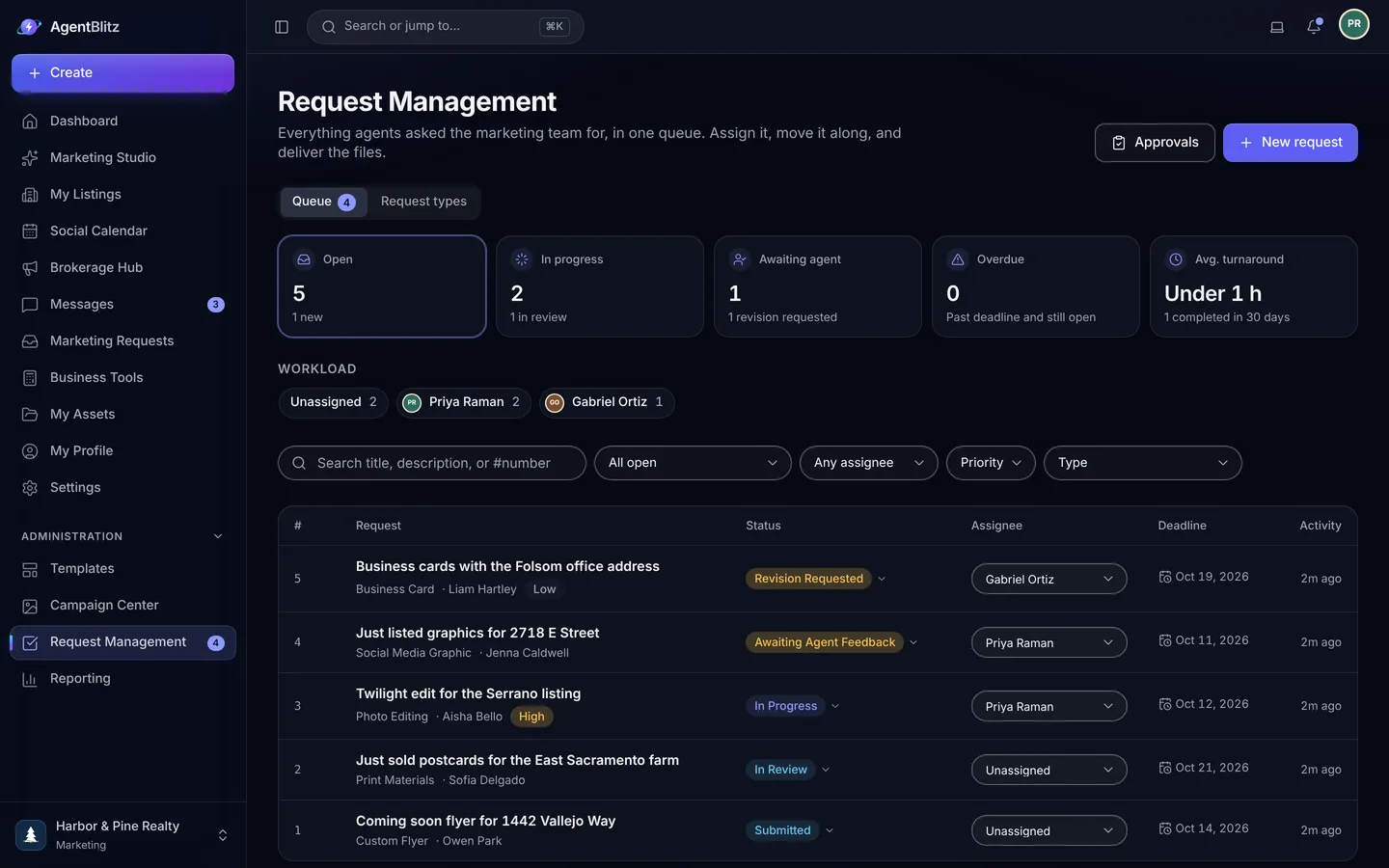
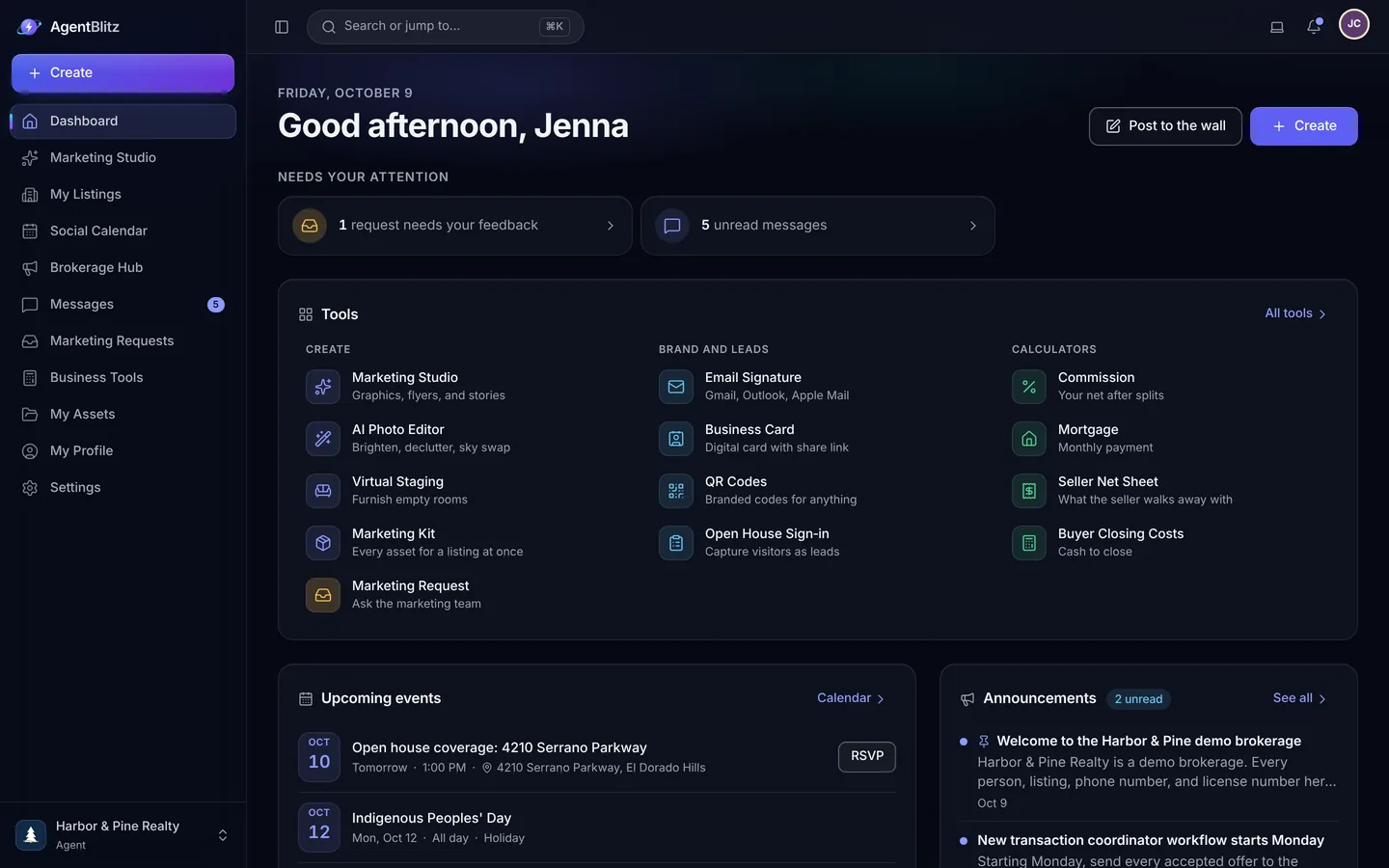
Agents pick a request type you defined and fill in the brief. Draft with AI turns their notes into a structured brief. Each request has an owner, a priority, a deadline and a turnaround target. Drafts, feedback and internal notes stay on the request, and agents only see what is addressed to them.
- Request types and form fields you define
- Workload by assignee, due soon and waiting on the agent
- Internal notes for the team only
Approvals before anything leaves.
Set rules for which designs and posts need review, such as custom material, AI-edited photos or campaign content. Approvers see the design, leave a note, and approve or send it back. Exports wait until the approval is in.
- Rules by template category and role
- Approve, request changes or decline, with notes
- Everything else goes out without waiting on you
Custom templates and Campaign Center.
On Pro, add your own brokerage templates beside the system library, with approval and status controls, so agents start from your designs. Campaign Center sends a finished campaign to every agent at once, each with their own name, photo and license on it, and tracks who used it.
- Custom templates beside the system library
- One campaign, every agent's own branded version
- Usage tracked per agent and office
AgentBlitz never posts for you. Campaigns deliver finished designs and captions; agents post from their own accounts.
The brand, set once and locked where it matters.
Four logo slots, colors with a contrast check, fonts from a curated set and your disclosures. The license number, the broker of record and the brokerage disclosure become locked elements on every template, signature, listing page and agent website, so you stop fixing the same footer.
- Brand import from your website
- Live preview on a listing graphic, a flyer and a signature
- Each template decides whether agents may change its colors and fonts
413 approved starting points.
Every listing stage in 20 or more looks, plus social posts, stories, print, email signatures and content for the weeks in between. Agents build from these on their own, and your queue fills with the work that really needs a designer.


Request to report.
-
Define the request types
Set the kinds of work agents can ask for, the fields each brief needs and a turnaround target for each. Draft with AI helps agents turn a few notes into a complete brief.
-
Work the queue
Assign each request, attach drafts, keep internal notes and reply in one place. Open, unassigned, due soon and waiting on the agent are visible at a glance.
-
Approve and measure
Approval rules route the designs you want to see. Reporting shows what the brokerage produced, who used what, and how long requests took.
The features marketing teams live in.
And the pages for the rest of the brokerage.
Questions, answered.
How do marketing requests and approvals work?
On Pro, agents send a brief for custom work through a request queue. The marketing team assigns it, sets a deadline, attaches drafts and keeps internal notes agents never see. Approval rules decide which designs and posts need review before they can be exported. Draft with AI helps write briefs and replies.
How many templates are there, and can we add our own?
The system library has 413 templates: every listing stage in 20 or more looks, plus social posts, stories, flyers, a booklet, a tri-fold brochure, postcards, door hangers, carousels and content for market updates, reviews, tips, holidays, client care, community and recruiting. Pro and Enterprise brokerages can add custom templates beside them.
Does AgentBlitz post to Instagram, Facebook or LinkedIn for us?
No. AgentBlitz creates the graphics, captions and videos. You or your agents download them and post from your own accounts.
Nobody hands AgentBlitz their social media passwords, and your accounts stay fully under your control.
How does per-agent pricing work?
You pay for each active agent in your brokerage, with a minimum of 5 agents on Core and 10 on Pro. Staff accounts for admins, assistants and transaction coordinators are free; they can use the hub, chat, directory and business tools but not the design or AI tools.
The seat count follows your roster automatically. Agents you add during a billing period are prorated on your next invoice, and agents you remove come off at your next renewal.

Give the marketing team one queue.
Start on Core to set up the brand and the templates. Move to Pro when you are ready for requests, approvals and reporting.
14 days free on Core. No credit card required.