Brokerage Hub and Messages
Your company, in one place.
Announcements that reach the right offices and teams, a resource library, a member directory, a referral board, a moderated community wall and team chat that already knows your org chart.
Included on every plan. 14 days free on Core, no credit card required.
Announcements that reach the right people.
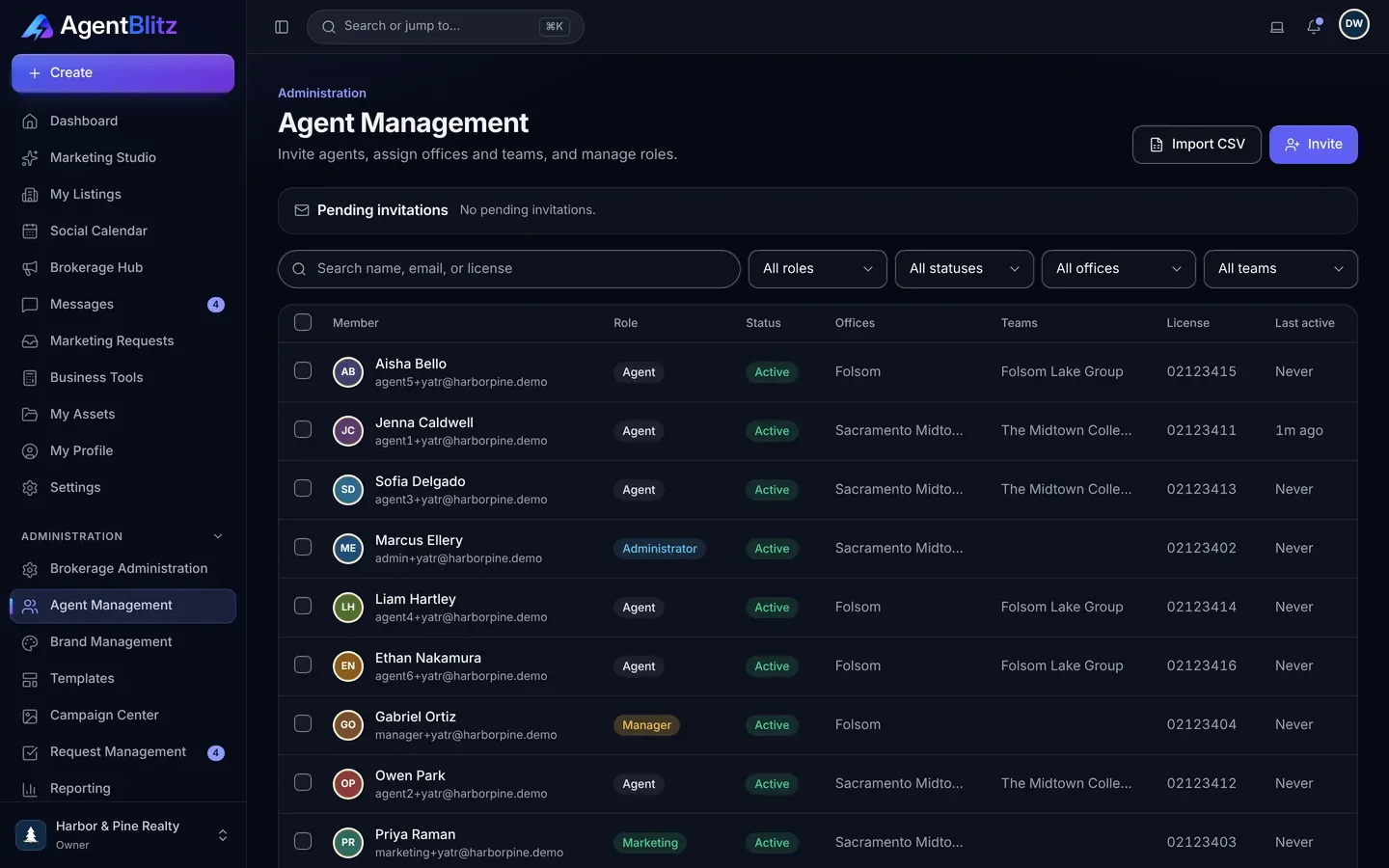
Send a note to the whole brokerage, one office or one team. Pin the important ones, attach files, and see it alongside the resource library, quick links and the member directory.
- Audience by brokerage, office or team
- Pinned announcements and attachments
- Resource library, quick links and directory
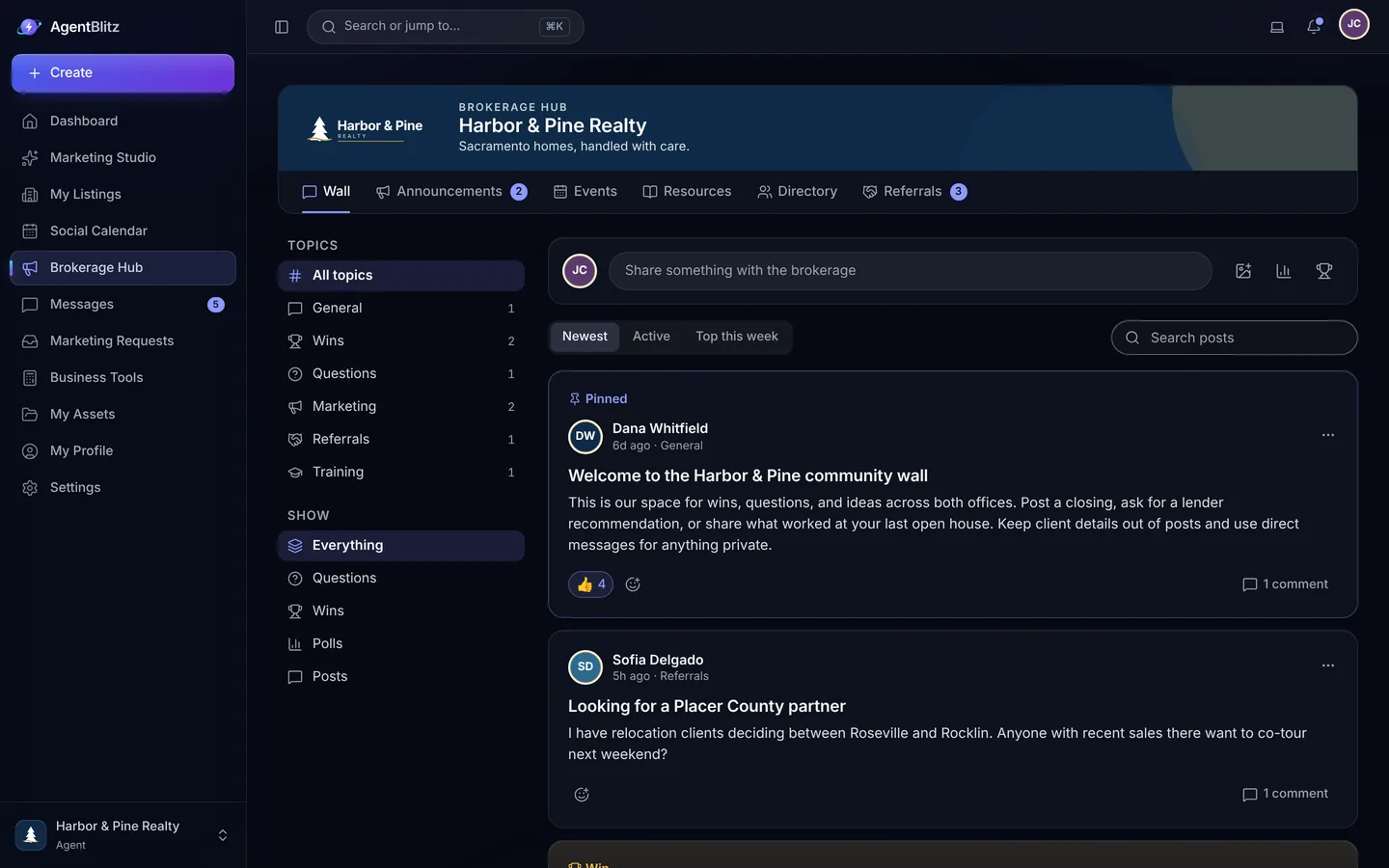
A community wall with a moderation queue.
Agents share wins, ask questions and run polls on a wall the brokerage moderates. Reactions, comments, pins and reports keep it useful; the referral board keeps business inside the house.
- Posts, comments, reactions and polls
- Reports and a moderation queue for admins
- A referral board for handing off and claiming referrals
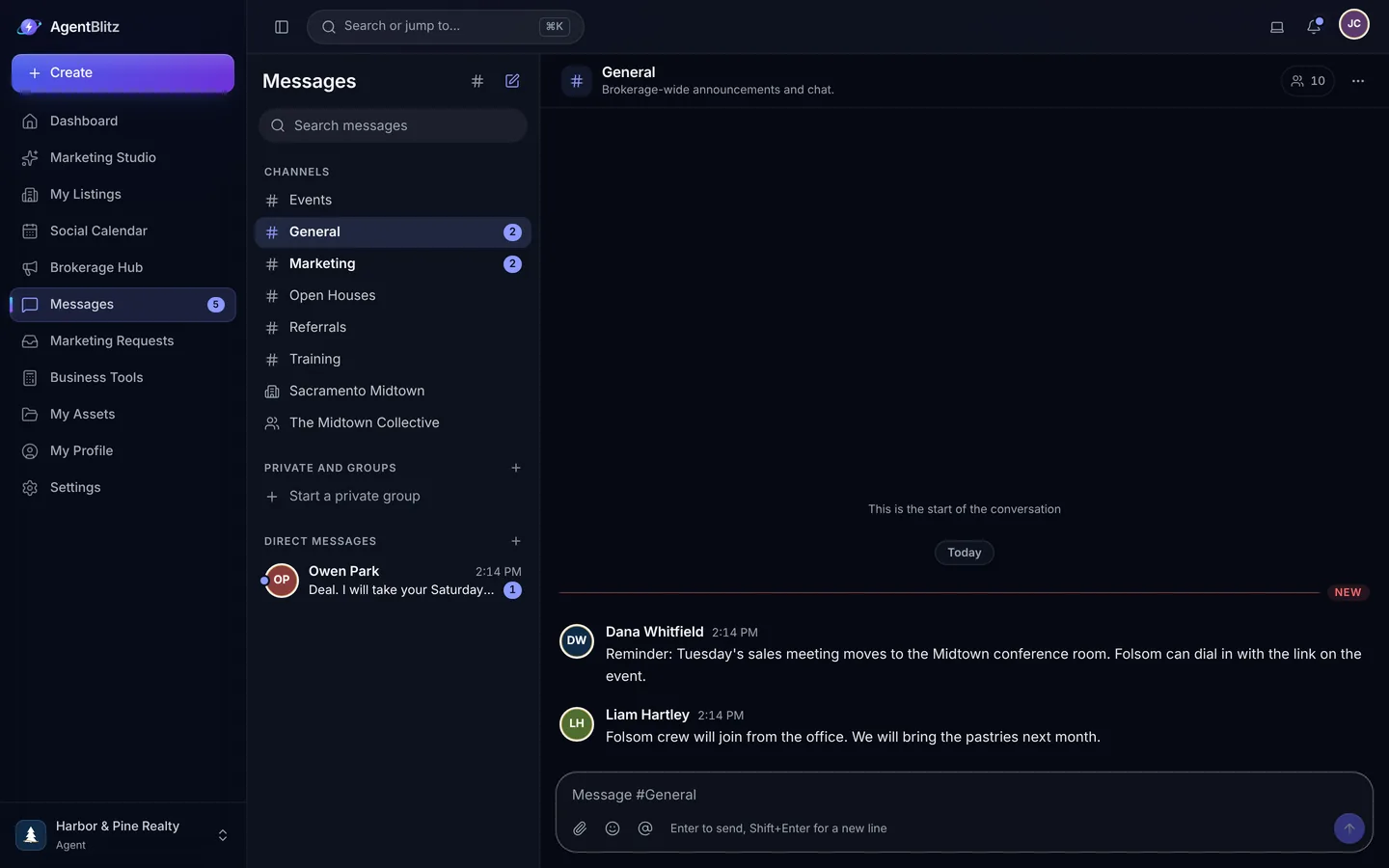
Team chat that knows your org chart.
Brokerage, office and team channels are created for you. Add private groups and direct messages, reply in threads, mention a colleague, share files and search everything.
- Channels per office and team, plus groups and direct messages
- Threads, mentions, files and images
- Typing indicators, unread counts and search
The Hub in three parts.
-
Post an announcement
Write it once and choose who sees it: the whole brokerage, an office or a team. Pin it so nobody misses it.
-
Keep resources in one place
Forms, guides, logos, vendor lists and quick links live in the resource library, with a directory of every member beside them.
-
Talk in the channels you already have
Brokerage, office and team channels are created for you. Agents add groups and direct messages, reply in threads and share files.
Related
Questions, answered.
Can admins turn chat off?
Yes. Admins can turn Messages off for the whole brokerage. The Hub, announcements, resources and directory keep working.
Who can post on the community wall?
Every member can post, comment, react and vote in polls. Admins pin posts, review reports and remove anything that does not belong from a moderation queue.
What is the referral board?
A place for agents to post referrals they want to hand off and to claim ones that fit, inside the brokerage.

Give every agent a marketing team.
Set up your brokerage, invite your agents and launch your next listing today.
14 days free on Core. No credit card required.